When your computer starts malfunctioning, you’ll either take it to ComputerWorks or try to solve the issue yourself. Odds are, unless you work in IT, you can fix simple problems at home and leave more complex issues to the professionals. Hearing aid troubleshooting works the same way. Like any piece of technology, hearing aids may occasionally experience minor issues. Fortunately, you can resolve many common hearing aid problems in just a few minutes.
Before scheduling a repair appointment, try these simple troubleshooting tips to get your devices working well again.
Managing Feedback
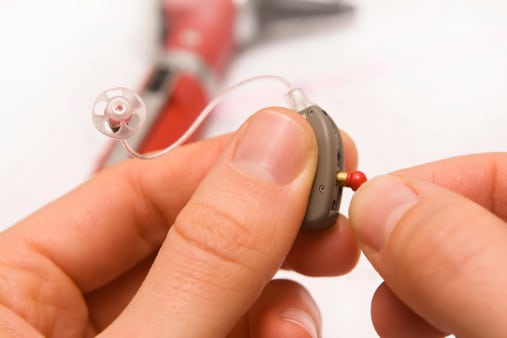
Feedback, a high-pitched whistle, is one of the most common concerns among hearing aid users. Many newer hearing aids have feedback suppressors, but you may still get the odd bout of it. Feedback happens when amplified sound escapes your ear canal and is picked up again by the hearing aid’s microphone, creating a loop.
If your hearing aids begin to whistle, try these steps:
- Make sure your hearing aid is fully inserted into your ear
- Lower the volume slightly to see if the sound disappears
- Clean the microphone openings and speaker ports to remove wax or debris
- Check that your earmold or dome is securely attached and positioned correctly
In many cases, a quick cleaning or adjustment is enough to eliminate the problem.
Muffled or Distorted Sound
If voices sound unclear, quiet, crackly or unusually sharp, your hearing aids may need a little attention. Distorted or muffled audio can result from moisture, earwax buildup, accidental damage, low battery level or changes to your hearing aid settings.
To improve sound quality:
- Carefully clean your hearing aids
- Inspect the devices for cracks, loose tubing or other visible damage
- Remove any moisture by placing the hearing aids in a hearing aid dehumidifier or drying container overnight
- Review your settings in the companion smartphone app to ensure you have the correct listening program selected
- Double-check battery life on your smartphone app and change or charge the batteries if necessary
When It’s Time To Schedule a Professional Repair
An estimated 15% of U.S. adults have hearing loss,[1] making dependable hearing aid performance essential for everyday communication. Knowing how to troubleshoot common issues can help you get the most from your devices while avoiding unnecessary downtime.
If you’ve tried these at-home solutions and your hearing aids are still whistling, sounding distorted or producing little to no sound, it’s time to schedule a service appointment. Our device specialists can diagnose the problem, make any necessary repairs, or send your devices to the manufacturer for repair to ensure your hearing aids continue to deliver the clear, reliable sound you depend on.
Call Audiology and Hearing Aid Services to schedule your appointment.
[1] National Institute on Deafness and Other Communication Disorders. (2024). Quick statistics about hearing. U.S. Department of Health and Human Services, National Institutes of Health. https://www.nidcd.nih.gov/health/statistics/quick-statistics-hearing